Hands-on with LangSmith: a real walkthrough
We logged into the real, hosted version of LangSmith (US region) and worked through the same four steps we're using across every platform in this comparison: create a prompt, run it and inspect the trace, and build a small eval dataset. This post is just the LangSmith leg — screenshots, actual UI, no marketing copy. The main comparison post pulls the findings from LangSmith, Langfuse, PromptLayer, and AcruxCore together.
1. The Prompt Hub and versioning
LangSmith stores prompts under Prompts, separate from Playground. Each prompt
gets a commit history — every save is a new commit with a hash, similar to git.
Our test prompt (acruxcore-support-assistant) already had two commits: an initial
version and a follow-up edit ("v2: mention product area by name, friendlier tone").
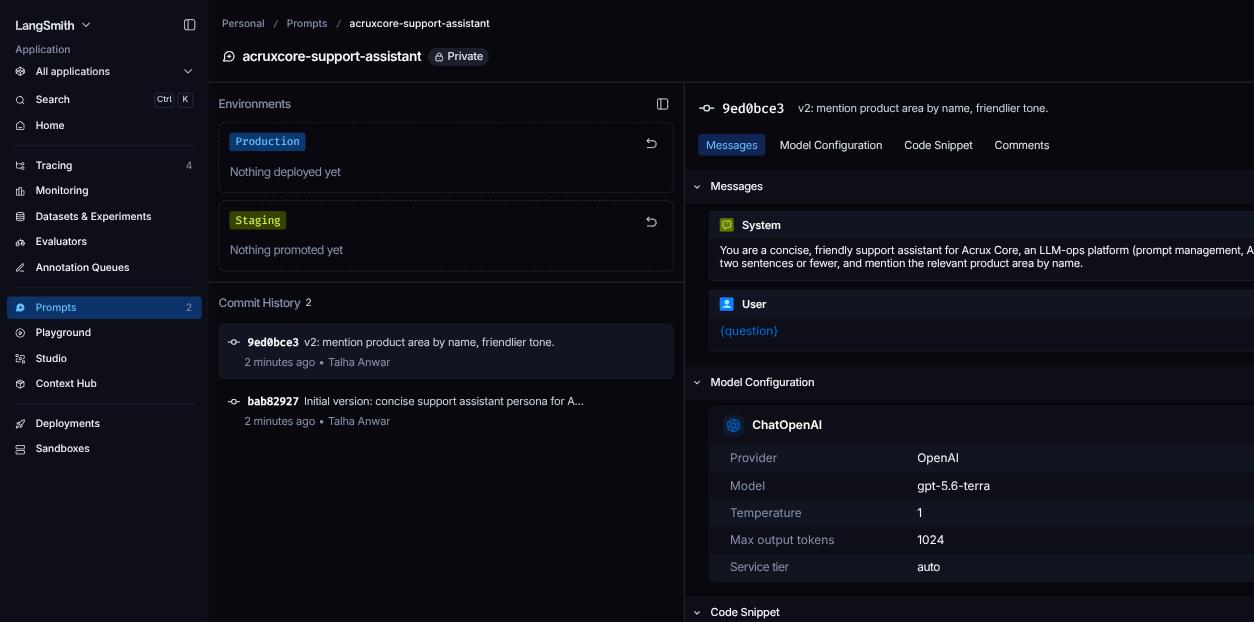
LangSmith also shows Environments (Production/Staging) at the top of the prompt page, ready to accept a deployed version — but on this account nothing had been promoted yet ("Nothing deployed yet").
2. Editing in the Playground
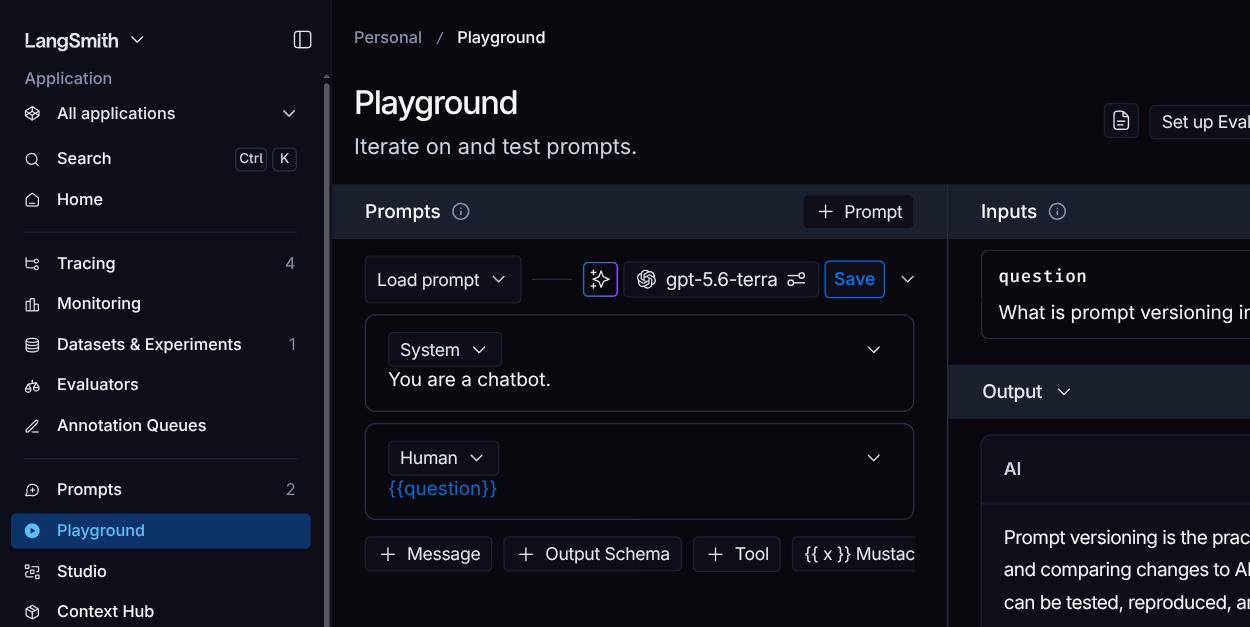
Clicking "Playground" opens the prompt with its system/user messages and model
config pre-loaded, plus an Inputs panel for the prompt's variables (here, a
single question variable).
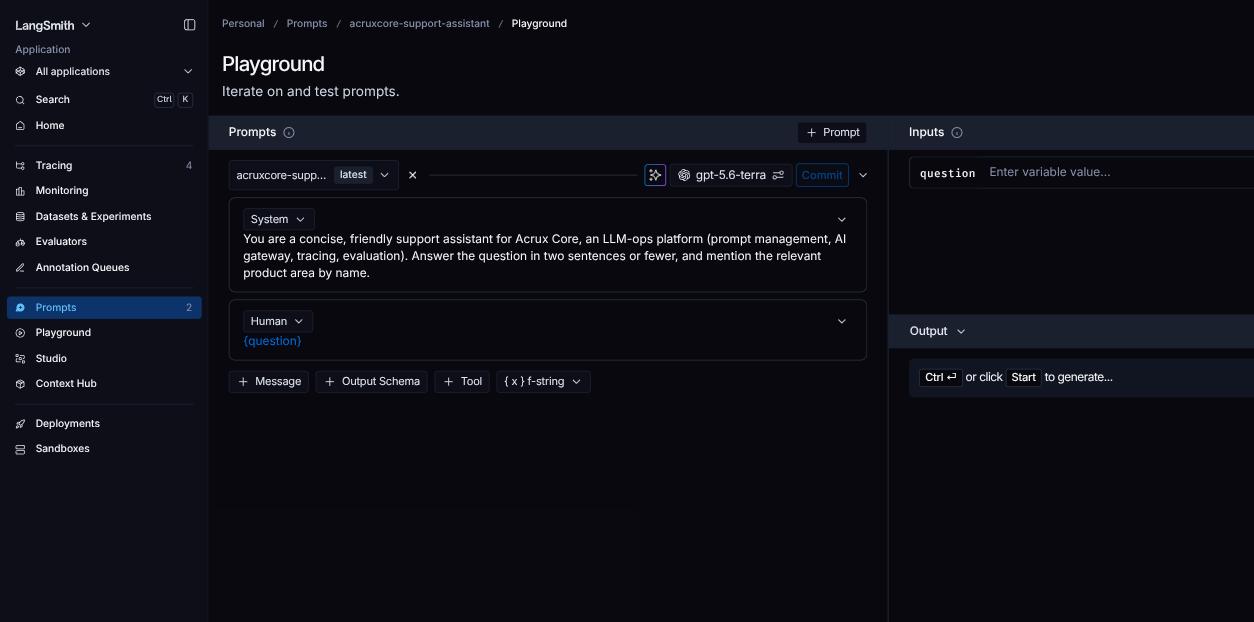
Trying to actually run the prompt from here surfaced a real constraint worth noting: LangSmith's Playground needs your own provider API key (a BYOK model — bring your own key) before it will execute a call. There's no built-in gateway sitting in front of model providers.
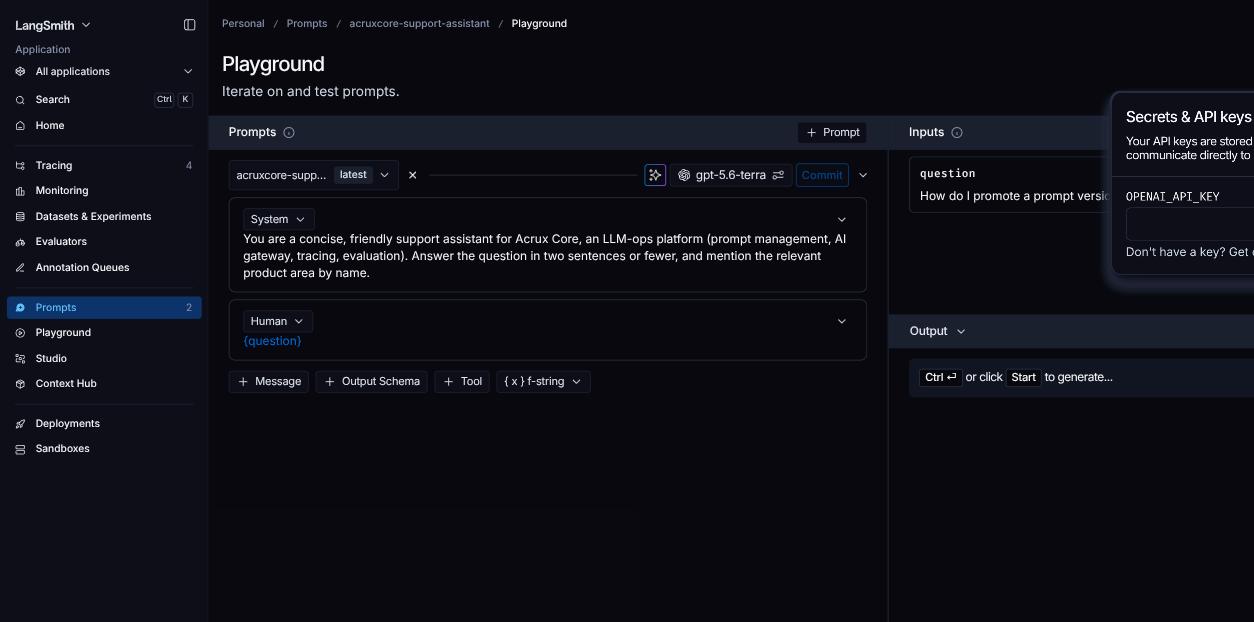
3. Tracing: span-based, not proxy-based
Rather than force a Playground run without a key, we checked the account's existing trace history — this is where LangSmith's tracing model is easiest to see. The Tracing section lists projects (LangSmith's word for a trace-collection bucket), each showing trace count, latency percentiles, and cost.
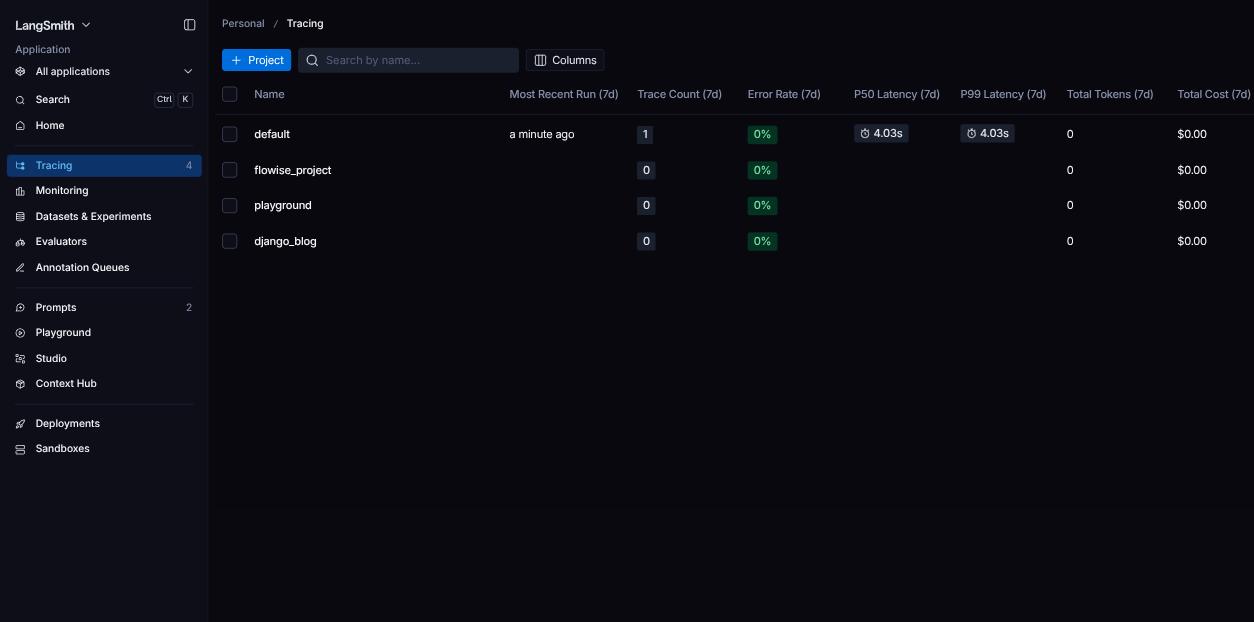
Opening a real trace confirms LangSmith is span-based: the trace isn't just
"one LLM call logged," it's a tree. Our AcruxCoreSupportBot trace has a
parent run containing two child spans — a lookup_product_docs tool call
and a gpt-4o-mini LLM call — each with its own latency, so you can see exactly
where time and tokens went inside a multi-step chain, not just the final model
call.
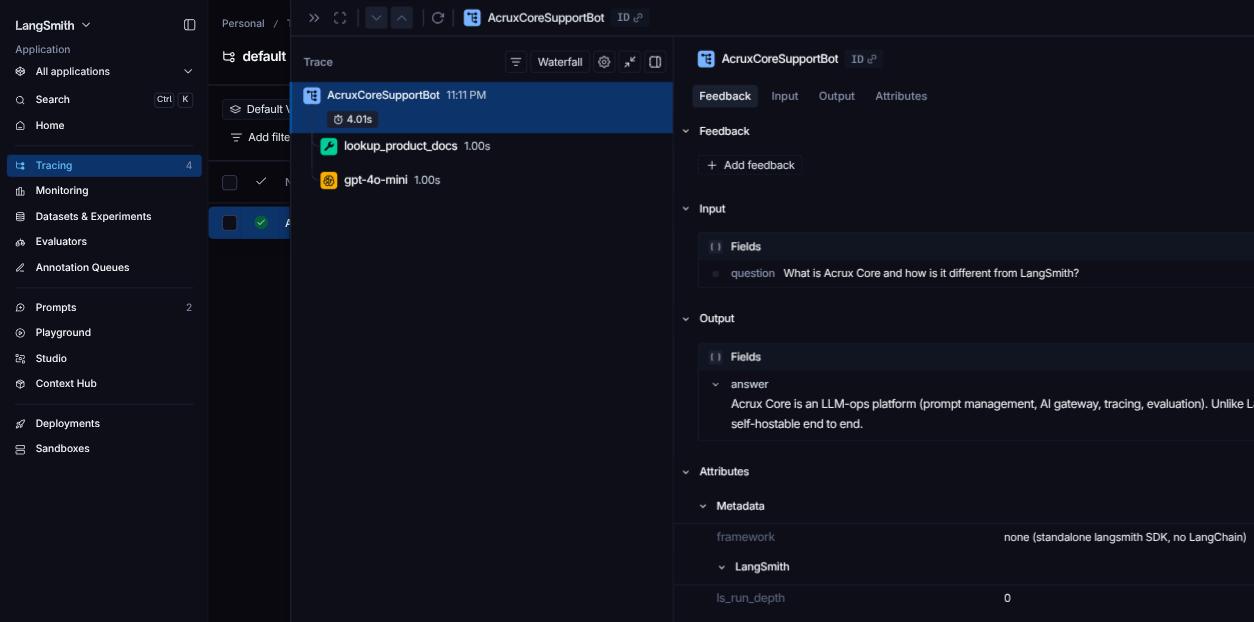
This is the core structural difference between span-based and proxy-based tracing: a proxy only ever sees the calls that were routed through it (so a non-LLM tool call would be invisible), while a span-based SDK can capture every step you explicitly instrument, chain logic included.
4. Datasets and evaluation
Datasets & Experiments is a first-class section with its own dedicated eval
UI (dataset examples, evaluators, and pairwise experiments — a way to compare two
experiment runs side by side). We opened an existing dataset
(acruxcore-support-qa) and added examples through the + Example dialog:
paste JSON into an Inputs box, JSON into a Reference Outputs box, pick a
split (base by default), and submit.
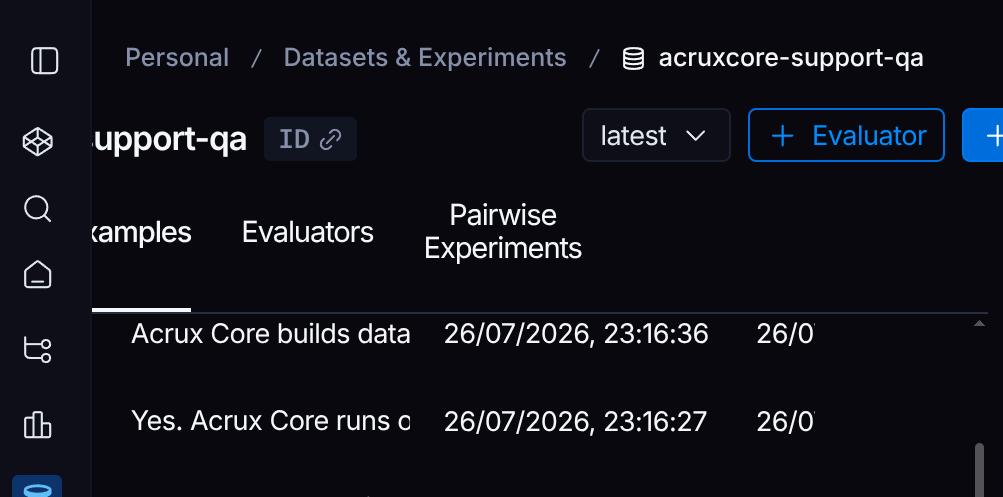
Each submit gave an immediate "Example added to dataset" confirmation, and the Examples table updated in place. Running a full Experiment (an evaluation run against the dataset) needs the same provider key as the Playground.
Update: with a provider key configured
After adding an OpenAI key to LangSmith's Provider secrets (Settings → Provider secrets → Browser Secrets, the store the Playground reads from), the BYOK wall above came down and we could confirm live execution end to end.
Running the prompt from the Playground now actually calls the model and returns a real answer instead of asking for a key:
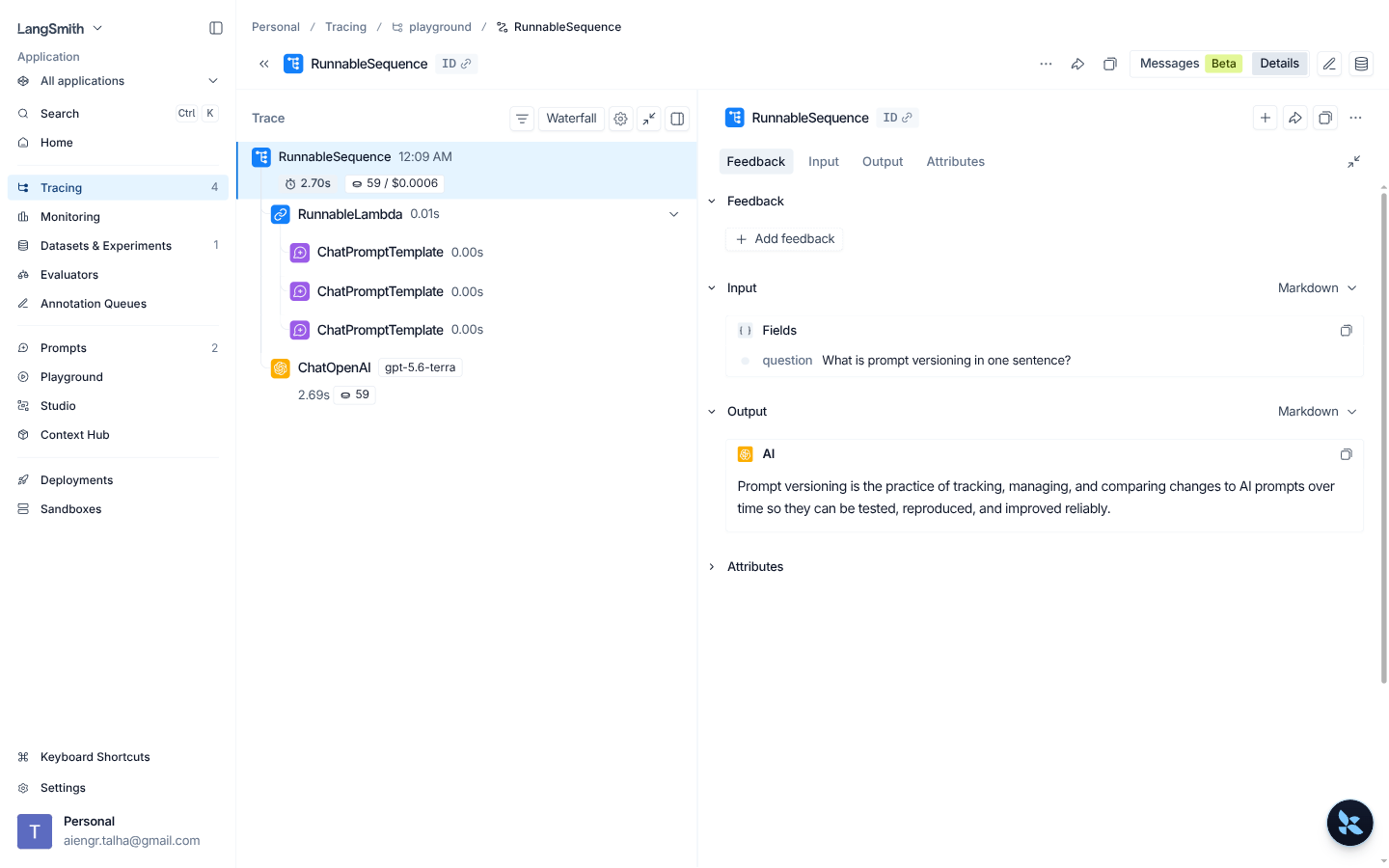
That run produced a fresh trace, confirming the span tree is real, not just a
UI mock: a RunnableSequence parent containing a RunnableLambda, three
ChatPromptTemplate spans, and the gpt-5.6-terra model call itself, with
real latency (2.69s) and token count (59) attached to the leaf span.
With a key in place, a full Experiment run against the acruxcore-support-qa
dataset also completes: 5 examples, each with input/reference-output/actual-output
columns, an automatic Correctness evaluator score of 0.80, and P50/P99 latency
around 0.99s.
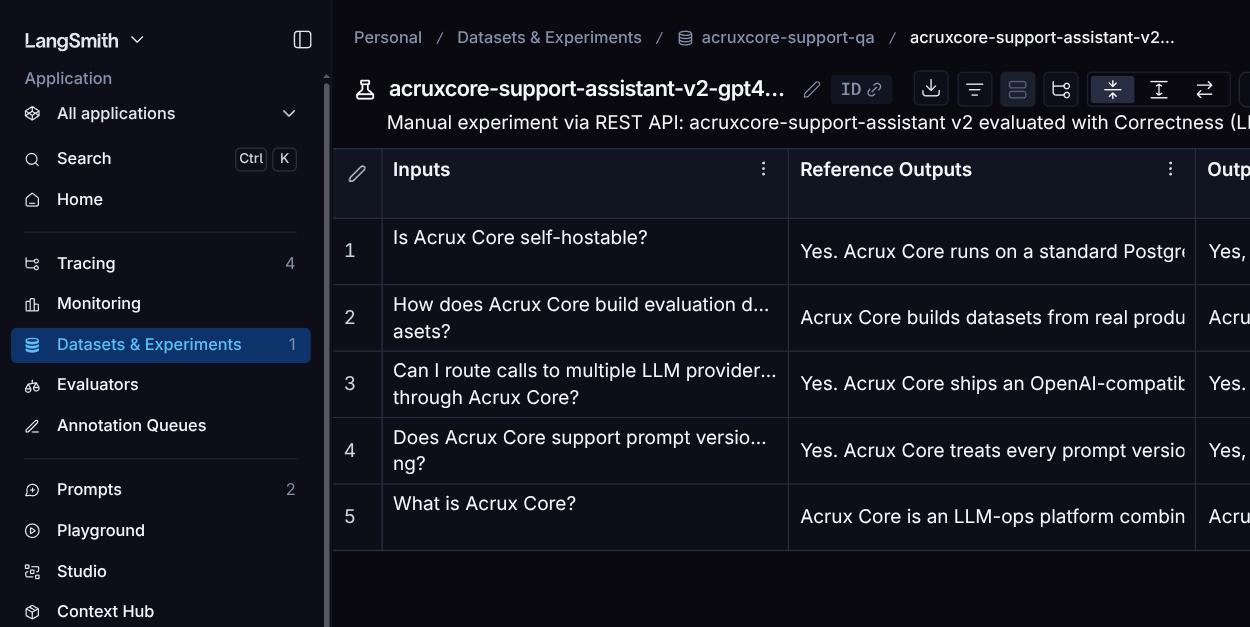
So the earlier "needs BYOK" note wasn't a dead end — it's a one-time setup step. Once a provider key is in place, Playground runs, tracing, and full dataset Experiments all work exactly as advertised.
Doing this from code
The UI walkthrough above is one way to generate a trace. The more realistic developer path is the SDK: wrap your existing OpenAI client once, and every call it makes is traced automatically — no manual "start a trace" step. Here's the actual script we ran:
import os
from openai import OpenAI
from langsmith.wrappers import wrap_openai
from langsmith import traceable

client = wrap_openai(OpenAI(api_key=os.environ["OPENAI_API_KEY"]))


@traceable(name="explain-prompt-versioning")
def explain_prompt_versioning():
    response = client.chat.completions.create(
        model="gpt-4o-mini",
        messages=[
            {"role": "user", "content": "Explain prompt versioning in one sentence."}
        ],
    )
    return response.choices[0].message.content


if __name__ == "__main__":
    print(explain_prompt_versioning())
Run with LANGSMITH_API_KEY, LANGSMITH_TRACING=true, and OPENAI_API_KEY
set as environment variables (a LangSmith Personal Access Token, created
under Settings → API Keys — separate from the Browser Secret used for the
Playground). The real output:
Prompt versioning is the practice of creating and managing multiple iterations
of a prompt to assess performance, effectiveness, or relevance in generating
responses from AI models.
wrap_openai alone is enough to get a span for the underlying ChatOpenAI
call; the @traceable decorator adds an outer span (named
explain-prompt-versioning here) so the function itself shows up as the
trace's root, not just the model call inside it. Both spans, with real token
count and latency, showed up immediately in the default project:
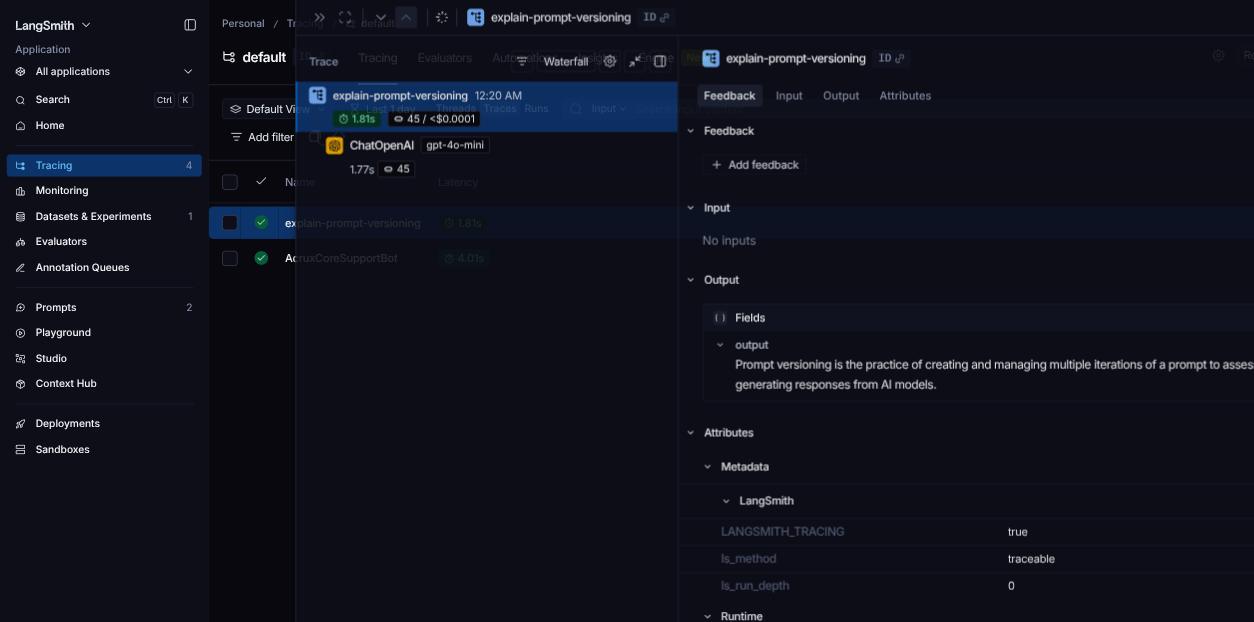
No LangChain/LangGraph required for this — wrap_openai and @traceable work
against a plain OpenAI client.
What's unique to LangSmith
- Git-like prompt commits with named Environments. Every save is a commit with a hash; Production/Staging are explicit deploy targets you promote a specific commit into, right on the prompt page.
- LangGraph/LangChain-native ecosystem. The sidebar has a dedicated Studio section for connecting LangGraph agents, something none of the other platforms in this comparison have an equivalent for.
- Pairwise Experiments. A dedicated UI specifically for comparing two experiment runs against each other side by side, beyond just viewing each experiment's aggregate scores separately.
- Rich per-span metadata out of the box. The trace view surfaced fields
like
ls_run_depthand aframeworktag automatically, without any extra configuration on our part.
Takeaway
LangSmith's tracing is genuinely deep (real span trees, not just LLM call logs), and its prompt commit history plus Environments give a clean, git-like way to version and promote prompts. The trade-off is that it assumes you'll bring your own model provider key for anything that actually executes a call — Playground runs and Experiments both need it, since LangSmith doesn't run its own gateway in front of providers. That's a one-time setup cost, not a hard limitation: once a key is added, everything — live Playground runs, real traces, and full dataset Experiments — works as expected.
LangSmith vs AcruxCore
| Feature | LangSmith | AcruxCore |
|---|---|---|
| Framework integration | Deep LangChain/LangGraph-native instrumentation, plus a dedicated Studio for LangGraph agents | Framework-agnostic — plain REST or either published SDK, no LangChain dependency |
| Prompt management | Git-like prompt commits with named Environments (Production/Staging) | Immutable versions with alias promotion (production/staging), no redeploy |
| Gateway | No request-routing layer — bring your own provider key, call providers directly | Gateway sits in front of every provider call — one audited, cost-visible path |
| Tool calling | Traces tool calls made through LangChain | First-class, versioned tool catalog, callable via a client-side tool loop in either SDK |
| Evaluation | Rich, mature evaluation suite with many built-in evaluators and a Pairwise Experiments UI | Datasets built from real production feedback, not hand-authored examples |
| Hosting & pricing | Self-hosting is an enterprise add-on | Open source and self-hostable by default |
Want to see the same loop on AcruxCore? The Quickstart gets you from sign-up to a traced, gateway-routed call in about ten minutes.