Read the team audit trail
What you'll build: a filtered view of your team's audit trail that answers
one specific question — who revoked that key, who changed a role, who moved
production to the version that is live — and a URL you can paste into a
ticket so a teammate sees exactly the same rows.
AcruxCore records two different kinds of history, and it helps to keep them
apart. A trace is traffic: a call your application made. An audit event
is a change: something a person did to the workspace. Every write the platform
performs is recorded as an audit event with the person behind it — prompts,
versions and aliases, tools and their bindings, members and invites, API keys,
gateway credentials, models, virtual keys, budgets, secrets, and the team's
trace settings. The team-wide trail is readable by the owner and admin
roles; an editor or viewer sees a short message instead of the table.
1. Open it from the Team page
Open Team in the sidebar and scroll to the bottom. The Recent activity panel shows the five newest events and the total the team has recorded, with View audit trail leading to the full screen.
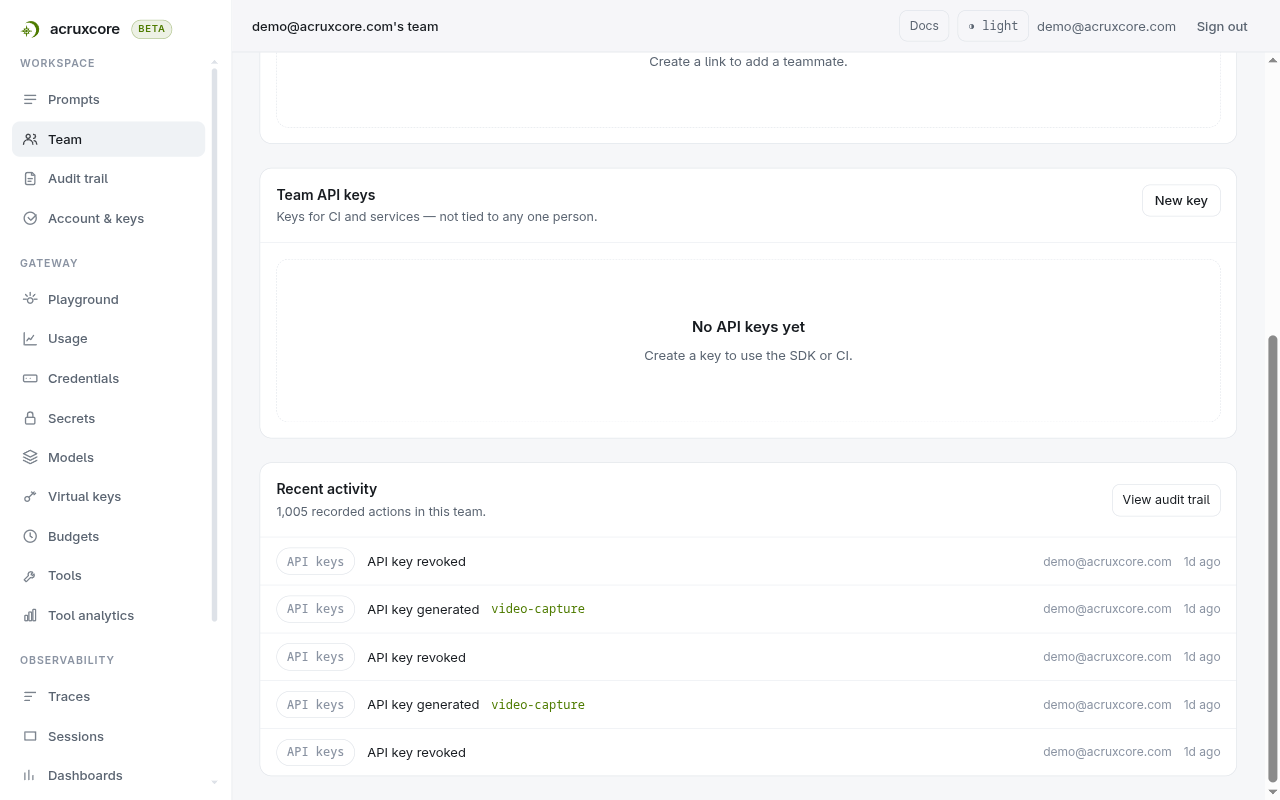
Audit trail is also in the sidebar, directly under Team. It only appears for the two roles that can read it, so a teammate who cannot open the page is never shown a link to it.
2. Read the table
The trail is newest first, 25 events to a page.
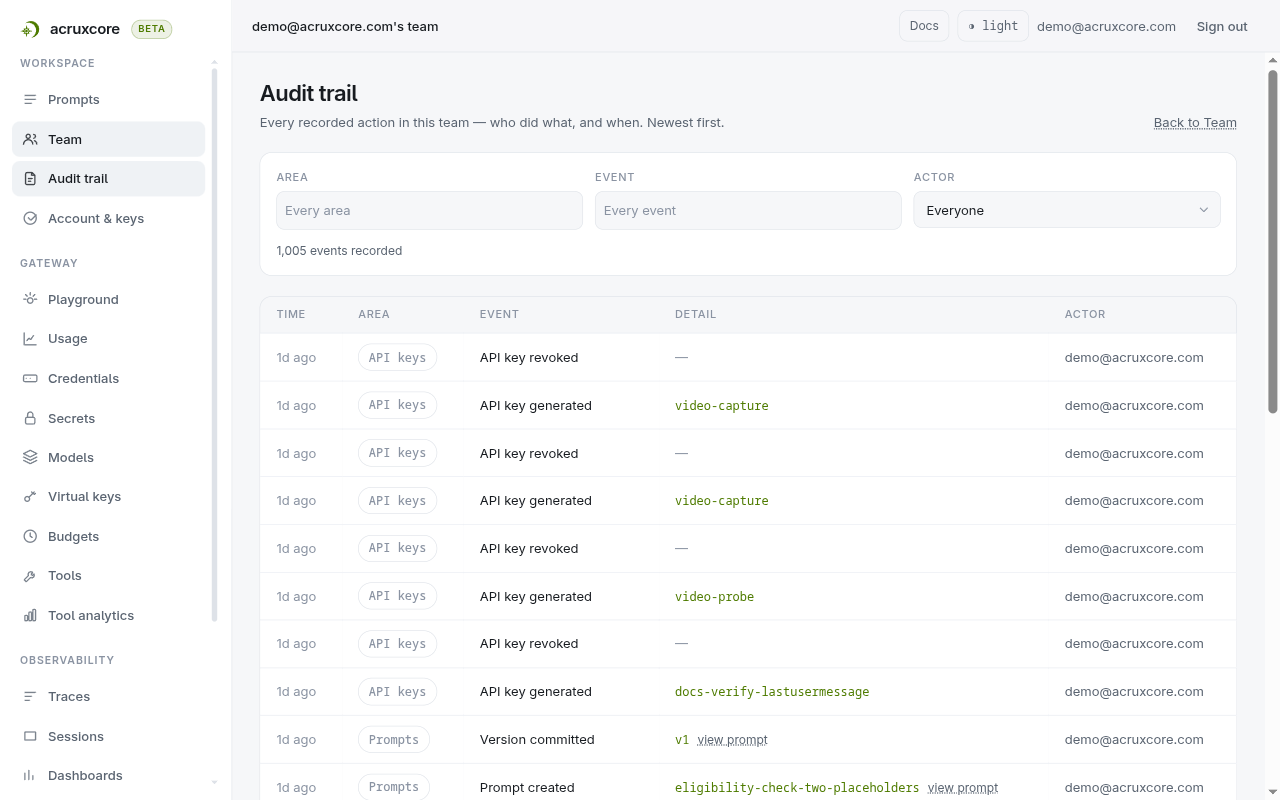
Each column answers one thing:
- Time — how long ago, hovered for the exact timestamp.
- Area — which part of the platform the event belongs to.
- Event — what happened, in words rather than the stored event name.
- Detail — the part that makes the row readable, built from what was
recorded: the key name, an alias move as
production · v1 → v2, a budget askey · day · $5.00. A member event names the person it happened to by email address, so a removal does not read as a bare id. A dash means the event carried nothing worth showing. - Actor — who did it.
Prompt and tool events also carry a view prompt link, which takes you to the prompt the event changed.
3. Filter by area
The platform can write thirty-nine kinds of event, which is too many for one dropdown. Area groups them into eight, and picking one or more narrows the table. The Evaluations area records when a dataset is created or deleted, and when an online evaluation rule is created, updated or deleted.
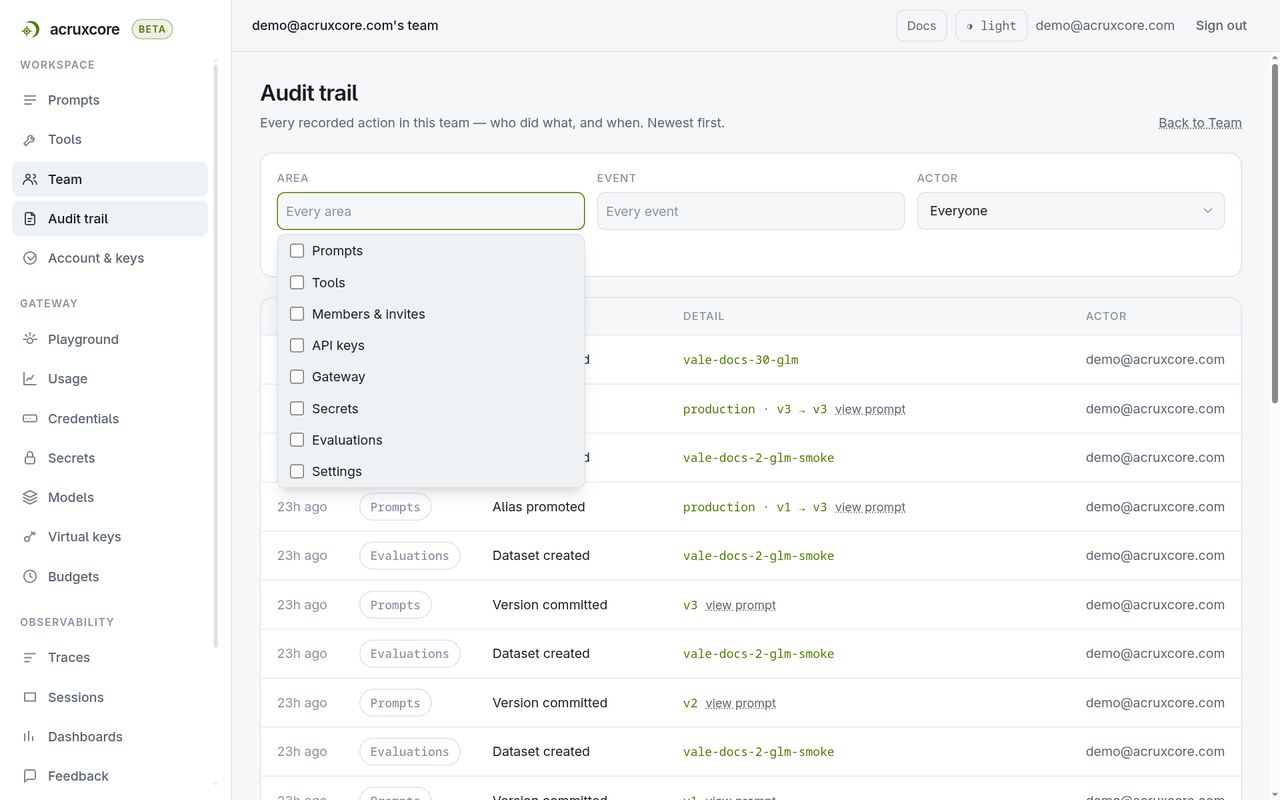
The count under the filters follows what you picked, and a Clear filters link appears next to it. That count is the number of matching events in the whole team, not the number on the page in front of you — the filtering happens in the database, so a match 30 pages deep is still counted and still reachable.
4. Narrow to a single event
Once an area is chosen, the Event filter offers only the events inside it. Its placeholder changes to Every event in these areas to say so.
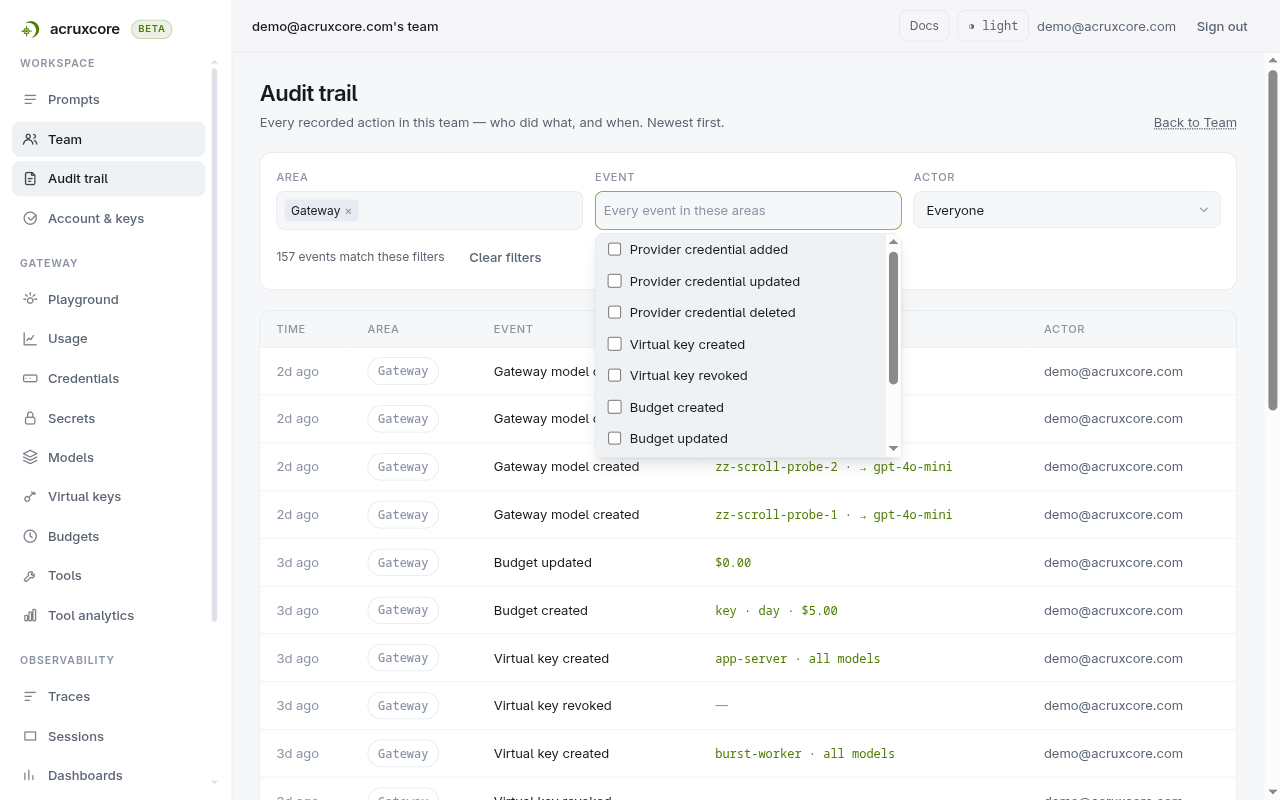
Naming an event filters to exactly that event. Adding a filter always makes the result smaller, never larger, so the second filter you add cannot widen what the first one found.
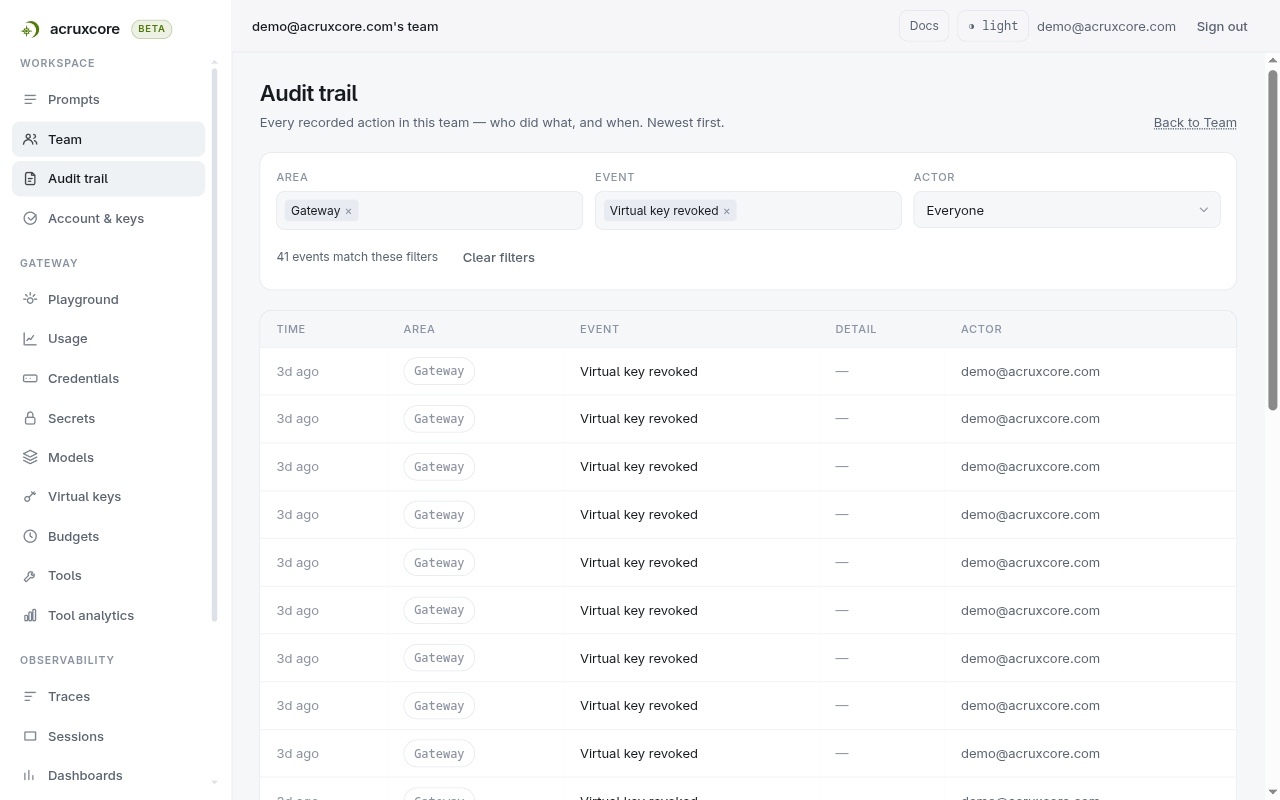
5. Filter by person, then share the view
Actor lists everyone who appears in the trail, with how many events each of them has. That list is built from the recorded events rather than from the current member list, so someone who has already left the team is still there to select — which is usually the person a compliance question is about.
Every filter, and the page number, lives in the URL:
/team/audit?group=gateway&event=virtual_key_revoked&page=2
Copy the address and a teammate with the owner or admin role opens the same
rows. Changing any filter returns you to page 1, so a narrowed search never
leaves you on a page that no longer exists.
Doing this over the API
Two endpoints back this screen. Both take a session cookie rather than a
Bearer API key: the team-wide trail is the one read in the platform an API key
cannot make, because a record of what people did should not be readable by a
program holding a key. Neither SDK wraps them for the same reason — this is a
curl (or browser) call.
- curl
# The whole team's trail, newest first
curl "$ACRUXCORE_BASE_URL/teams/<team-id>/audit?limit=2" \
  -H "Cookie: $ACRUXCORE_SESSION_COOKIE"
{
"data": [
{
"id": "3f84fa30-a1de-4ceb-a01c-aa33f0b1445b",
"event": "api_key_revoked",
"metadata": { "apiKeyId": "1df65dba-c2d2-490d-a41f-8331a2f5990a" },
"createdAt": "2026-09-08T11:45:31.890Z",
"promptId": null,
"target": null
},
{
"id": "7cf02538-efaa-4940-a954-3eb2477dc3b2",
"event": "api_key_generated",
"metadata": { "name": "video-capture", "apiKeyId": "1df65dba-c2d2-490d-a41f-8331a2f5990a" },
"createdAt": "2026-09-08T11:45:29.696Z",
"promptId": null,
"target": null
}
],
"total": 1005,
"page": 1,
"limit": 2
}
# Filter by event type — a comma-separated list, and `actorId` for one person
curl "$ACRUXCORE_BASE_URL/teams/<team-id>/audit?event=virtual_key_revoked&limit=1" \
  -H "Cookie: $ACRUXCORE_SESSION_COOKIE"
{
"data": [
{
"id": "cd52109e-9859-4c60-9c30-f41b421a5545",
"event": "virtual_key_revoked",
"metadata": { "virtualKeyId": "d4408560-8319-42e8-8d8e-12df7a37126e" },
"createdAt": "2026-09-07T05:14:42.692Z",
"promptId": null,
"target": null
}
],
"total": 41,
"page": 1,
"limit": 1
}
total follows the filter, which is what makes the count on the screen
trustworthy.
# Everyone who appears in the trail, for the actor filter
curl "$ACRUXCORE_BASE_URL/teams/<team-id>/audit/actors" \
  -H "Cookie: $ACRUXCORE_SESSION_COOKIE"
{
"data": [
{
"id": "18c76b52-ee0d-4001-be8e-c29976488fbb",
"eventCount": 1005
}
]
}
A Bearer API key on either call returns 401, not a filtered list:
{ "error": { "code": "UNAUTHORIZED", "message": "Authentication required." } }
There is no CSV or JSON export yet, and no retention window to configure — every event is kept, and the way to hand a colleague a slice of the trail is the URL of the filtered view.
What's next
- Manage team roles and permissions — the roles that decide who can read this trail, and how to change someone's.
- Invite a teammate — the invite and join events the trail records.
- API details: see Audit in the API Reference for the per-prompt and per-tool trails, which any member can read.